SnipeSearch Ark
Install extensions in Snipe
The Chrome Web Store does not recognise Snipe as Chrome. Use SnipeSearch Ark’s Snipe platform catalog instead: pick an extension built for Snipe, download it, and confirm the install prompt.
Permissions: Read the “Add extension?” dialog carefully. An extension that can read and change data on all websites can see everything you do in the browser. Prefer known developers, and remove anything you no longer use.
Step 1
Open the Snipe catalog on Ark
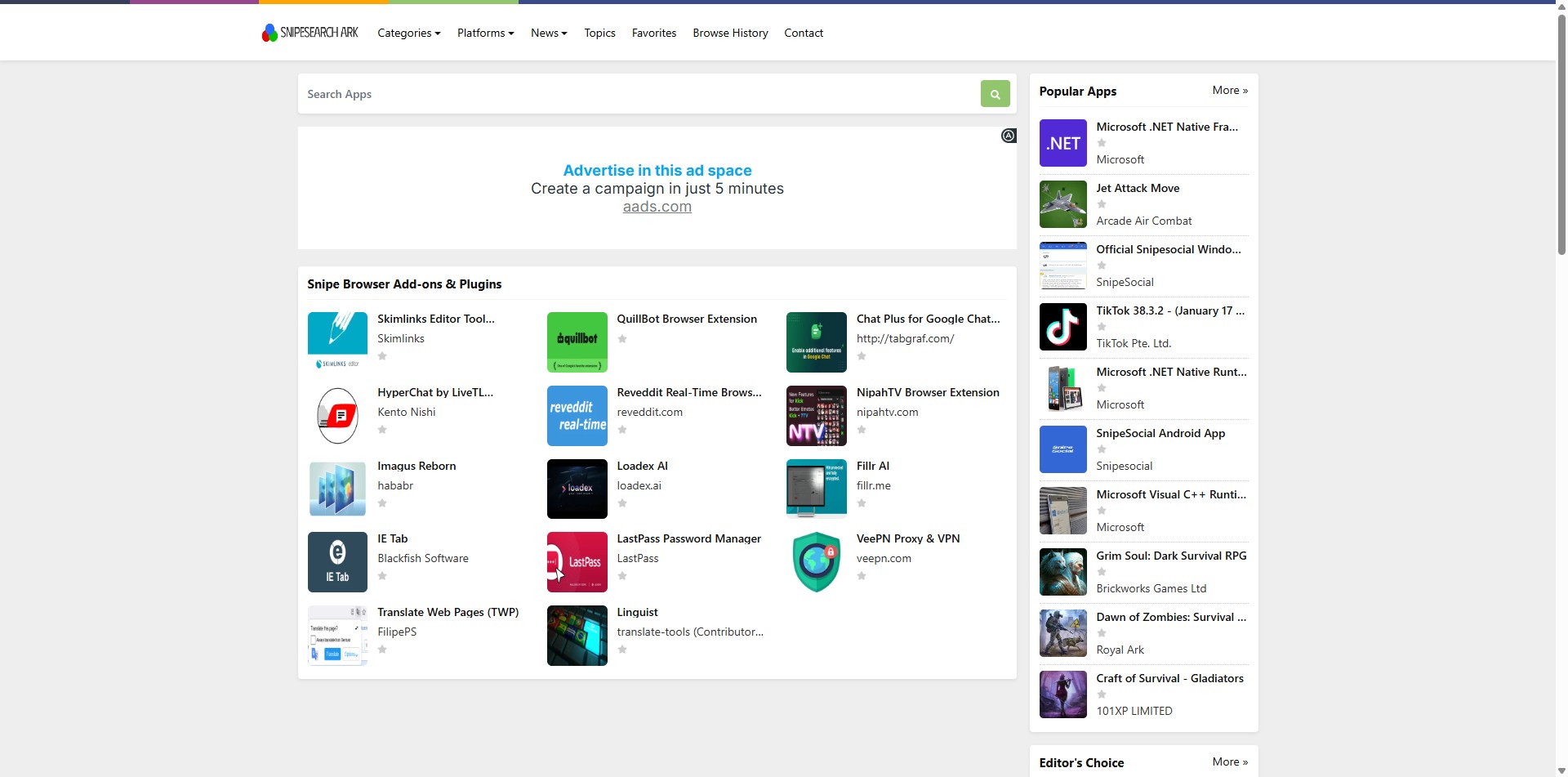
In Snipe, go to https://ark.snipesearch.net/platforms/SNIPE . That page lists add-ons filtered for Snipe (and other Chromium-based browsers where marked).
Browse the grid, or use Search Apps for a name (for example a VPN).
Click the extension you want to open its detail page.
Ark → Platforms → Snipe: Snipe Browser Add-ons & Plugins.
Step 2
Download the extension
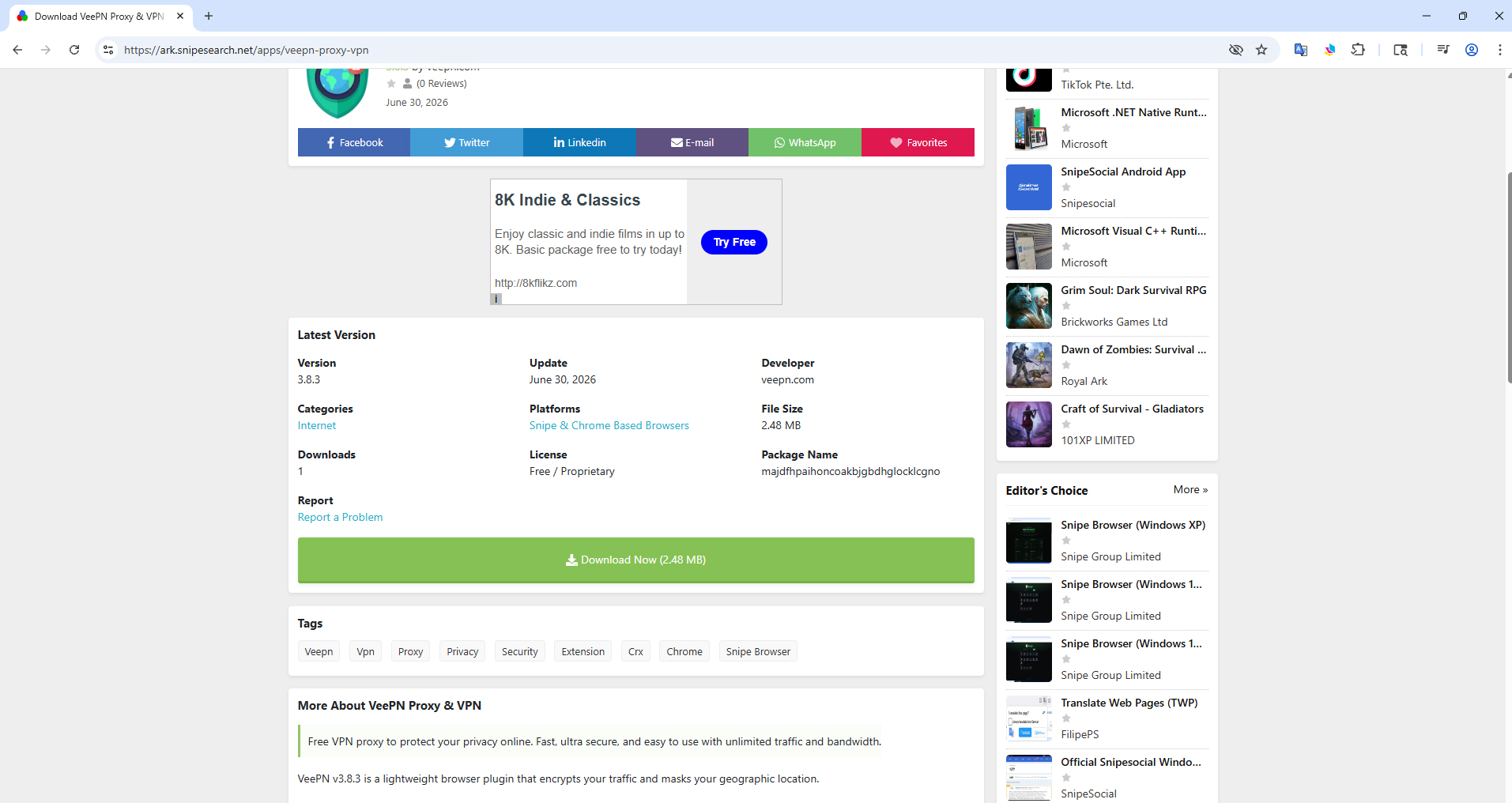
On the extension’s Ark page, check the version, developer, and that Platforms includes Snipe.
Click Download Now .
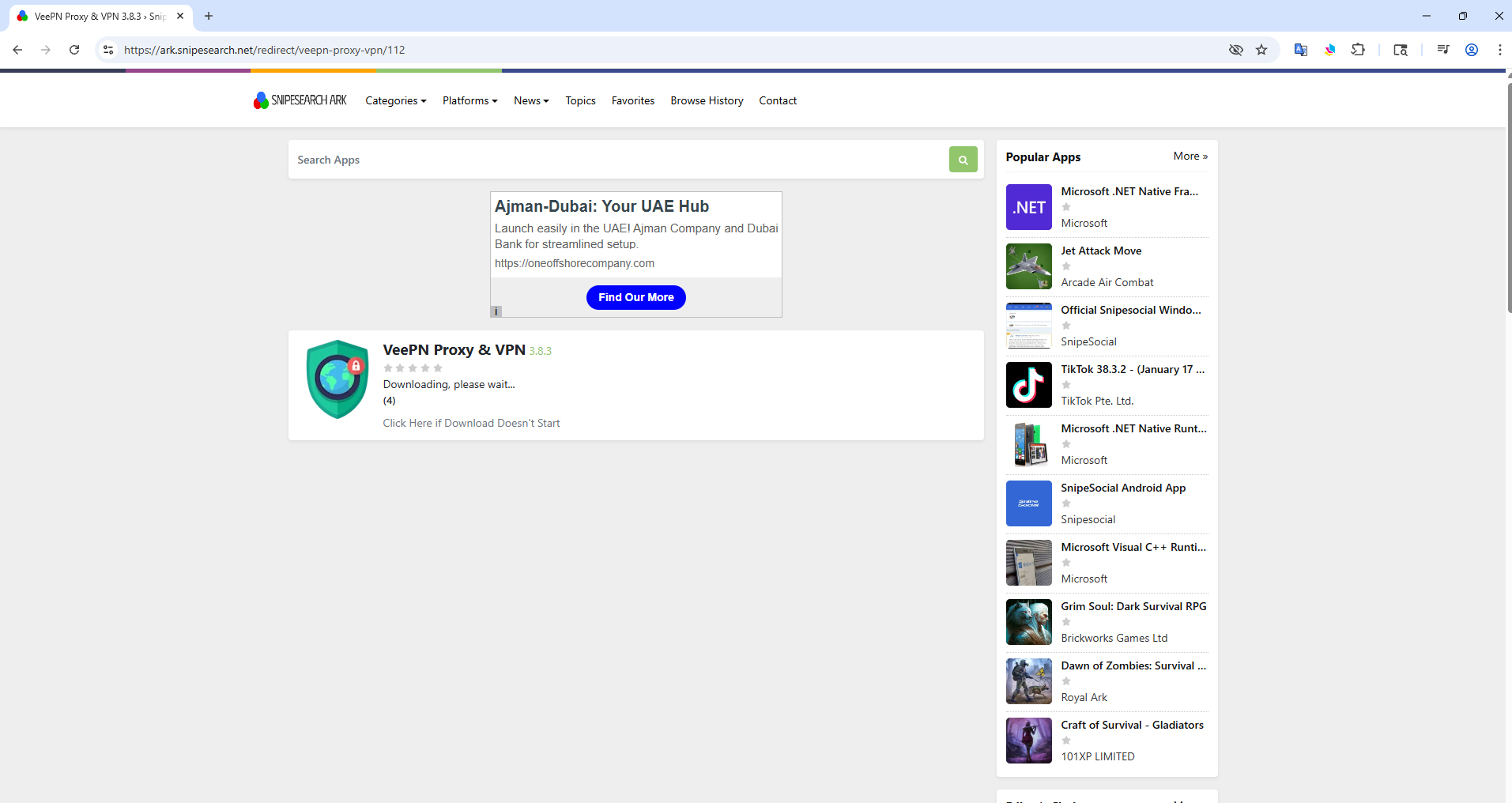
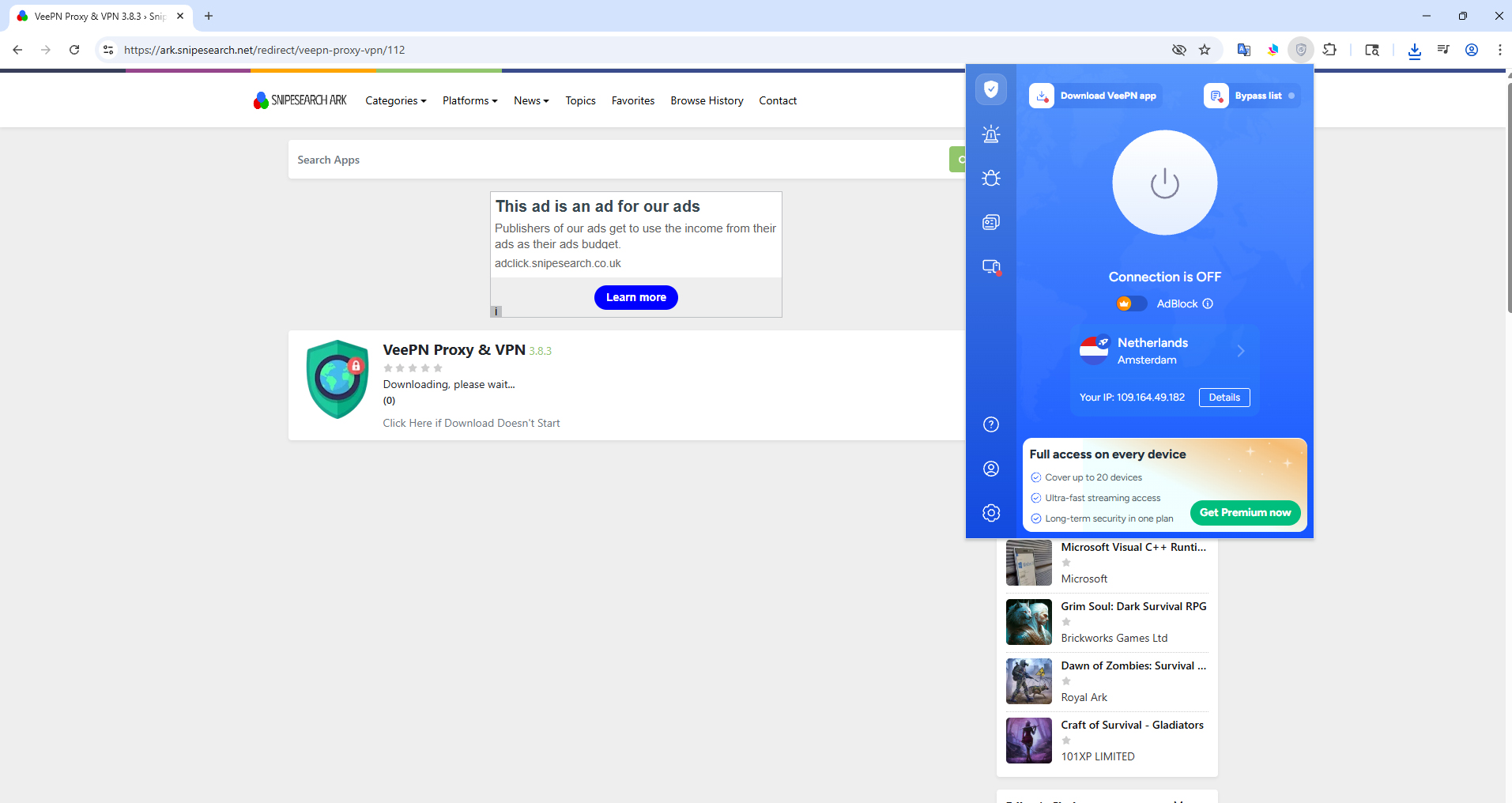
Wait on the download / redirect page. If nothing starts, use Click Here if Download Doesn't Start .
Extension detail page: green Download Now button.
Download in progress on Ark’s redirect page.
Step 3
Confirm Add extension
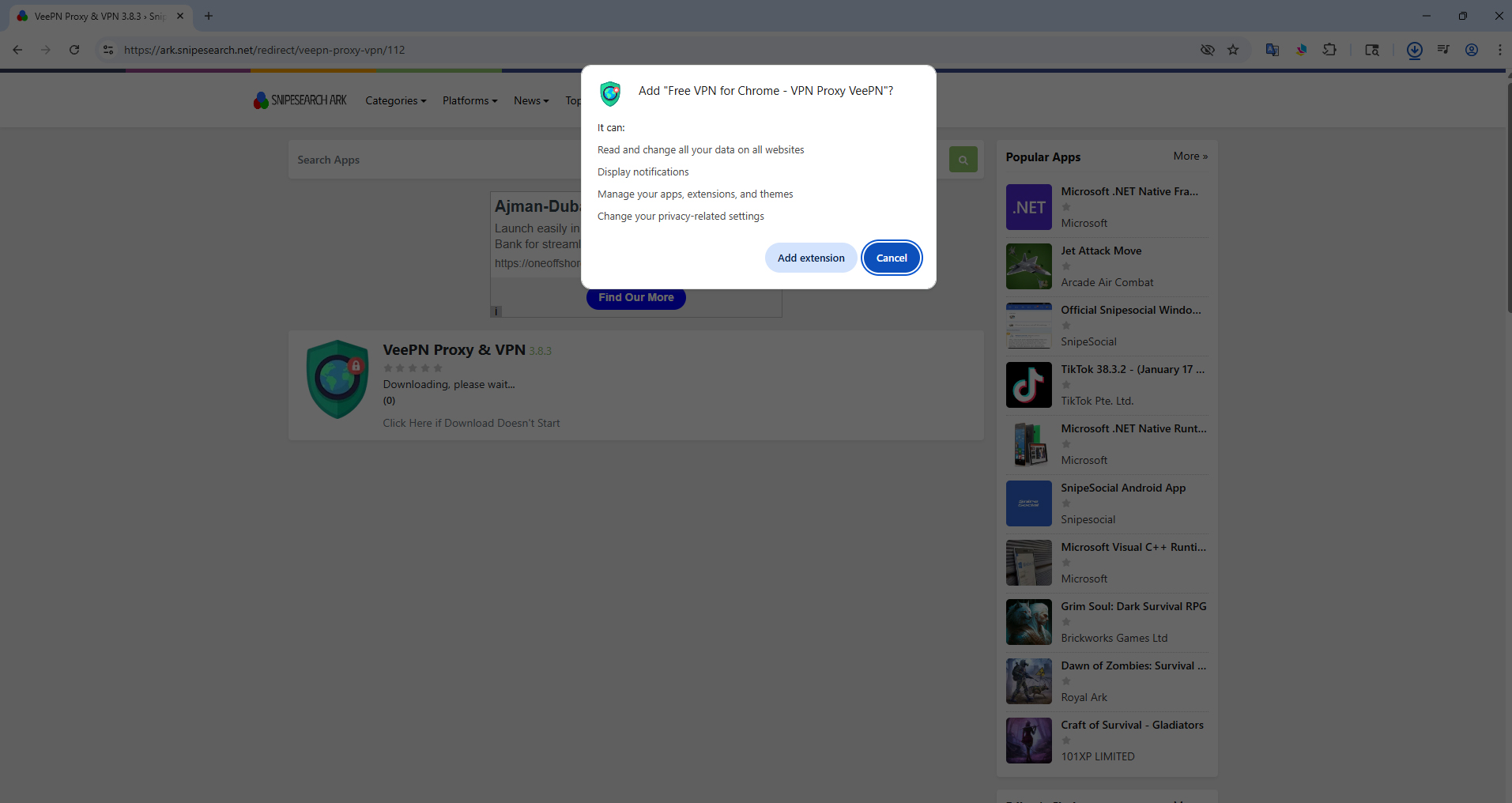
Snipe should show a Chromium install dialog listing the permissions the extension is asking for.
Review the permission list.
Click Add extension to finish (or Cancel if you change your mind).
Confirm install: Add extension after checking permissions.
Step 4
Use the extension in Snipe
After install, the extension icon usually appears in the toolbar (puzzle menu if it is hidden). Open it to configure or connect (VPN example below).
Example after install: extension popup available in Snipe’s toolbar.
If download does not install
Manual CRX fallback
If the file downloads as a .crx but no dialog appears:
Open chrome://extensions in Snipe.
Turn on Developer mode (top right).
Drag the .crx file onto that page and confirm.
You can turn Developer mode off again afterward if you prefer.
uBlock Origin on desktop is built into Snipe’s core; it will not show as a removable extension on this page.
Open the Snipe extension catalog on Ark →
← Back to Help