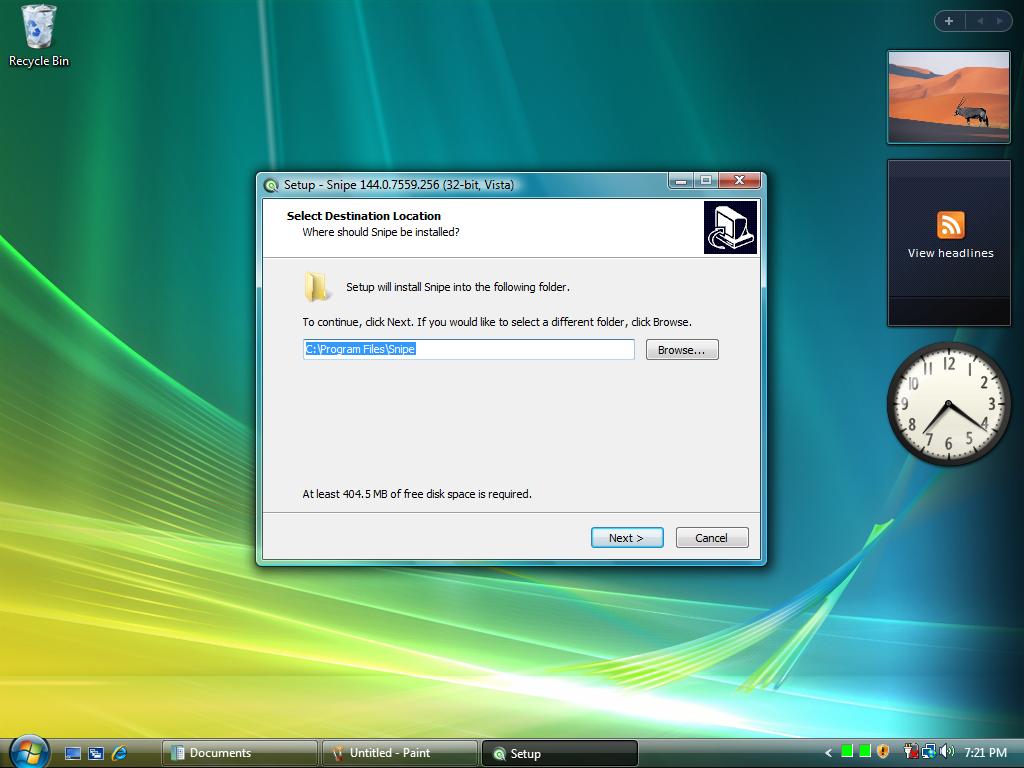
Vista uses a separate Snipe track — Chromium 144.0.7559.256 — not the Windows 10/11 140 builds. This guide covers install, what is different on Vista, and how to keep the browser working on older machines.
Wrong build? If you are on Windows 7 or newer, do not use the Vista package. Pick your build from the download hub instead. Vista Snipe is 32-bit only and requires Service Pack 1 or later.
Before you start
Requirements
OS: Windows Vista 32-bit, Service Pack 1 (6.0.6001) or later
CPU: SSE2-capable 32-bit processor (the same class as a mid-2000s Celeron M)
RAM: About 2 GB recommended; leaner machines work but keep tabs few
Disk: Roughly 400+ MB free for the installer extract
No One-Core-API: Unlike the legacy XP 140 package, Vista (and current XP 144) does not need a separate compatibility pack
Installer (.exe) — recommended for a normal desktop install to C:\Program Files\Snipe\ with shortcuts.
Portable (.zip) — extract anywhere (USB, secondary folder) and run Snipe.exe. Nothing is written to Program Files.
During setup you can create a desktop shortcut. When install finishes, launch Snipe from the Start menu or desktop icon. Working directory should stay the install root so the wrapper DLLs load correctly.
Software rendering: Hardware GPU startup can hang on Vista with Chromium 144. This build uses the software compositor automatically — you do not need a special .cmd launcher.
Quiet defaults: Google phone-home paths are blocked at startup. Metrics and component updater stay off. Safe Browsing code is present but defaults off.
Built-in extensions: uBlock Origin and Ruffle (Flash) register as component extensions. Developer mode is on so you can side-load CRX files.
New tab & search: Custom Snipe new tab. SnipeSearch is the default search engine.
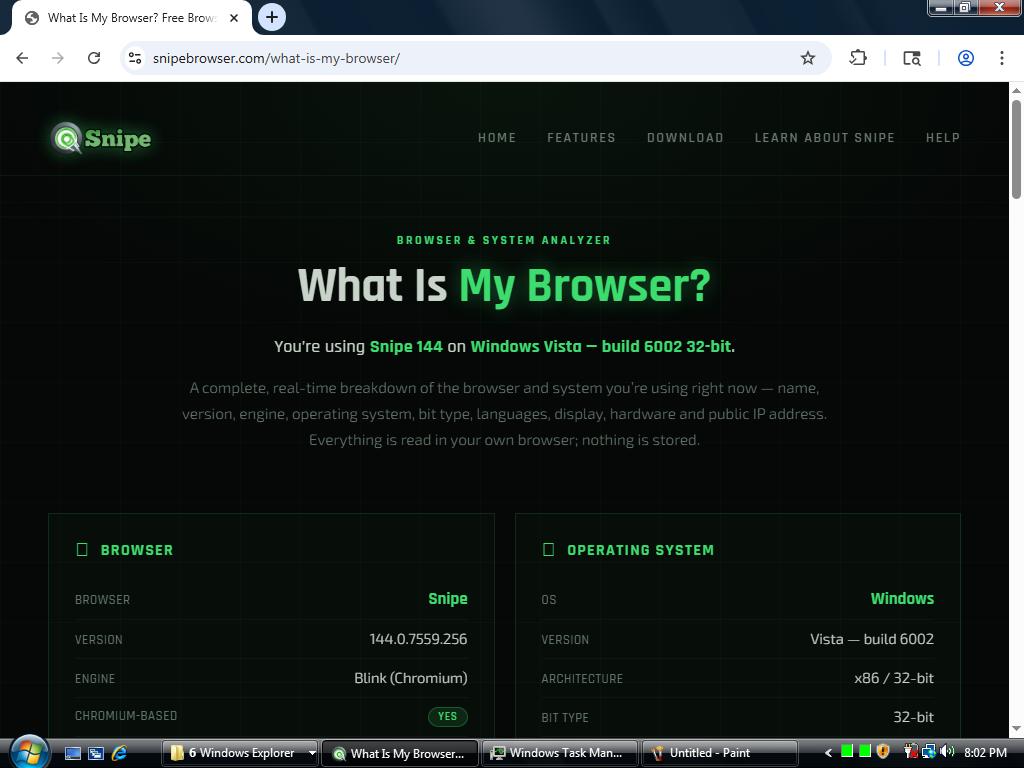
Identity: About Snipe / chrome://version show Snipe Browser. User-Agent includes WinVista/6002 so Update Check and What Is My Browser? route you to the Vista channel.
Profile location:%LOCALAPPDATA%\Snipe\User Data
Detector confirming Snipe 144 on Windows Vista — build 6002, 32-bit
Maintenance
Updates and DRM
There is no automatic updater. When a newer Vista build ships, download the new installer or portable from Archive.org and install over (or beside) the old one. Your profile under Local AppData is kept unless you delete it.
Widevine is enabled for protected media when a site needs it — license servers remain Google’s for those streams. Ordinary browsing does not phone home for updates or components.
Add-ons
Extensions on Vista
The Chrome Web Store does not recognise Snipe. Use SnipeSearch Ark (Snipe platform filter), or follow the general extensions help guide. Off-store CRX installs work with Developer mode on.