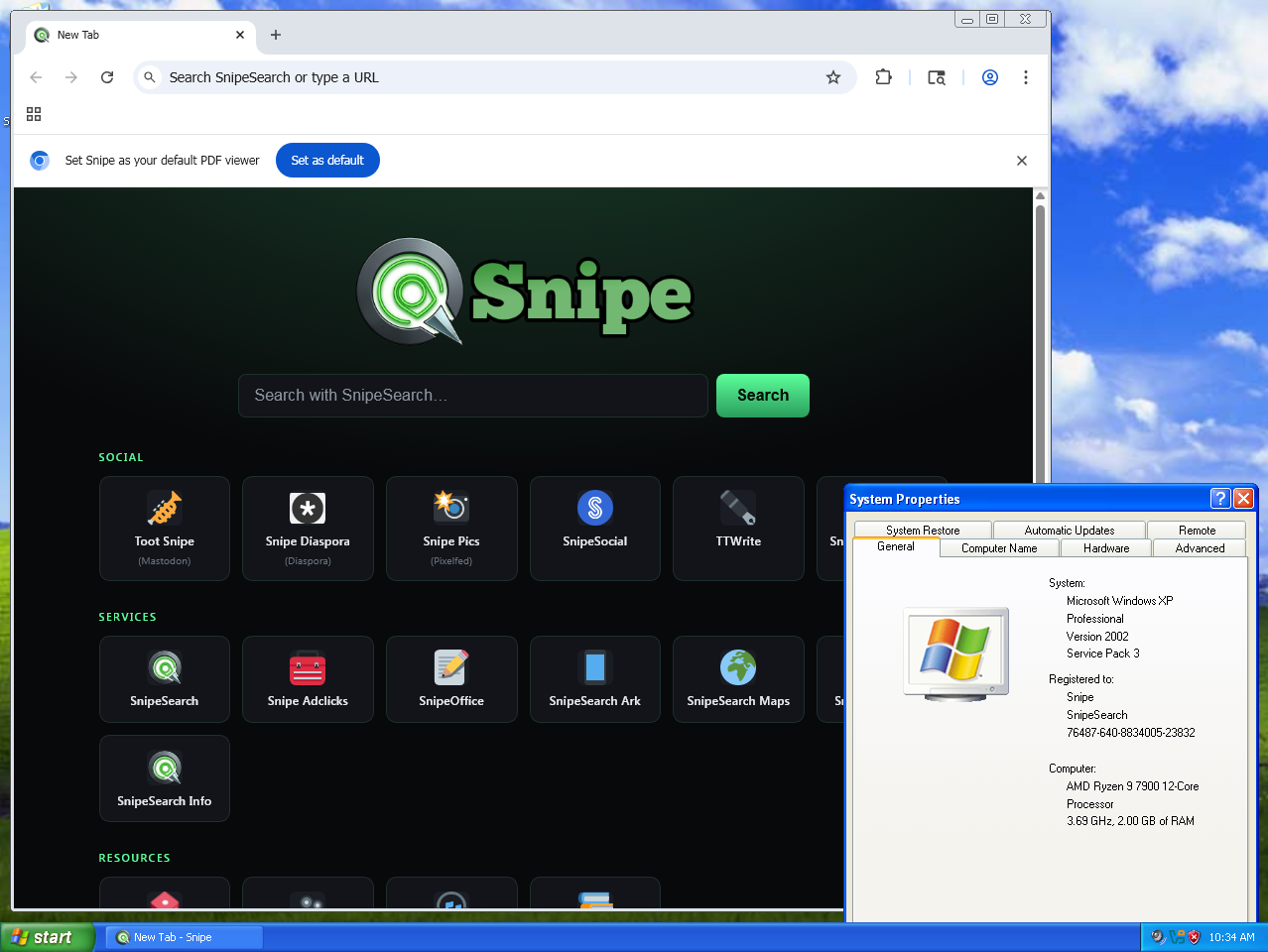
Windows XP · 32-bit · Coming soon

Snipe for Windows XP

Snipe is coming to Windows XP. Because XP predates the modern Windows APIs that Chromium 140 relies on, the XP build runs on top of a compatibility layer called One-Core-API. Get that in place now and you’ll be ready the moment the XP build lands.

Two-step setup

How to run Snipe on Windows XP

The order matters: install One-Core-API first, restart, then install Snipe. We currently recommend the 32-bit (x86) path as the most stable option for XP.

01

Install One-Core-API (32-bit)

One-Core-API back-ports the modern Windows functions a current Chromium browser expects, so Snipe can load on XP at all. Download the latest release and run the installer, then reboot. We recommend the 32-bit build for the widest XP compatibility.

Latest tested · One-Core-API 4.0.7 · 32-bit (x86)
⬇ Get One-Core-API 4.0.7
02

Install Snipe for XP

Once One-Core-API is installed and you’ve restarted, install the XP build of Snipe. This download isn’t published yet — the XP version is still in preparation. Check back soon, or use the box below to be reminded when it’s ready.

Status · not yet released
⏳ Coming soon
Heads-up: One-Core-API is an independent open-source project, not made by Snipe Group Limited. Install it at your own discretion and create a System Restore point first. Because Snipe is a modern Chromium build, the XP version may need to run in Windows Vista compatibility mode for the sandbox to behave — full, tested instructions will ship alongside the XP download.
Why a compatibility layer?

What is One-Core-API?

Windows XP shipped in 2001 and never received the newer system APIs that modern software calls into. One-Core-API (OCA) is a community project that adds those missing functions to XP, Server 2003 and Vista, which is what lets recent Chromium-based browsers run on hardware and an OS the rest of the industry abandoned years ago.

That fits Snipe’s whole reason for existing: no user is an acceptable loss. Pairing Snipe with One-Core-API is how we reach all the way back to XP — see the One-Core-API 4.0.7 release notes for the full list of what it enables.

Windows XP — prerequisites

  • Windows XP 32-bit, SP3 recommended
  • One-Core-API 4.0.7 (32-bit) installed first
  • A reboot after installing One-Core-API
  • System Restore point before you begin
  • Snipe for XP (coming soon)
  • ~200 MB free disk space

Not on XP yet?

If you’re reading this on a newer machine, the 64-bit build for Windows 10 and 11 is available right now. The XP and Windows 9 builds are part of the same promise — every user matters.

↗ Download Snipe for Windows 10 & 11 Learn more about Snipe →