On Windows 7 or newer? See all downloads →
Windows Vista · 32-bit · v144.0.7559.256

Snipe for Windows Vista

A modern Chromium 144 browser for Vista — directed by telemetry from a real 2006 Celeron M laptop, not guesswork on modern emulators.

Based on Chromium 144.0.7559.256 · Captured on bare-metal Vista · © 2026 Snipe Group Limited
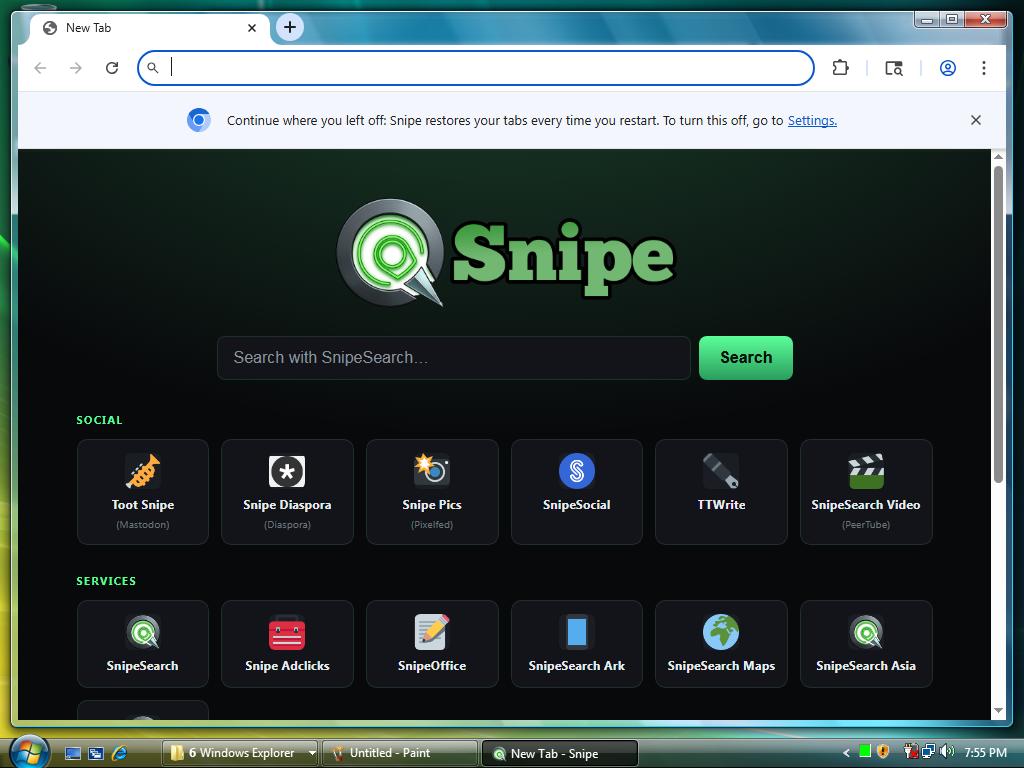
Snipe new tab page running on Windows Vista Aero
2006
Celeron M test rig
2.2
Windows Experience Index
144
Chromium line
32-bit
Vista SP1+
How this build was made

Engineered on the machine it was built to save.

At Snipe, we believe the only way to build a browser that truly works on vintage hardware is to test it on vintage hardware. While the heavy lifting of compiling millions of lines of modern Chromium code was offloaded to a 32-thread Xeon server—since compiling natively on a legacy single-core CPU would take days—the actual direction of the build was entirely dictated by an authentic 2006 Intel Celeron M system running Windows Vista. Instead of relying on guesswork or modern emulators, we ran the test builds directly on bare metal using a custom command-line script. This setup launched each iteration with different experimental switches, systematically logging performance metrics, crash dumps, and resource usage directly into detailed breadcrumb logs.

That real-time telemetry from the Celeron formed the blueprint for every optimization in the browser. We took those breadcrumb logs and configuration tweaks back to the Xeon workstation to compile targeted updates, transferred the new builds back to the Celeron, and ran the test suite again. We repeated this feedback loop until the browser achieved complete stability, minimal memory consumption, and smooth performance on actual 20-year-old hardware. By engineering Snipe on the exact machine it was built to save—rather than relying on high-end desktop theory—we delivered a browser fine-tuned for the real-world constraints of legacy Vista systems.
Full Vista 144 changelog · Vista help guide

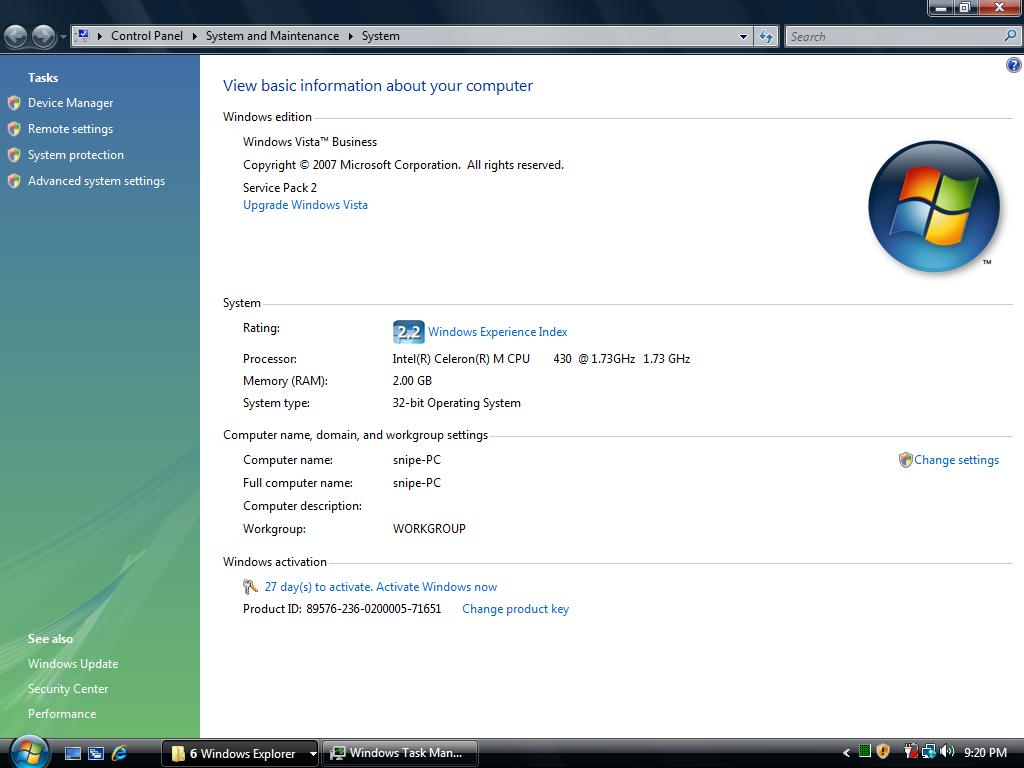
Windows Vista System Properties — Celeron M 1.73 GHz, 2 GB RAM, Experience Index 2.2
snipe-PC · Windows Vista Business SP2 — Intel Celeron M 430 @ 1.73 GHz, 2.00 GB RAM, Windows Experience Index 2.2. This is the bare-metal laptop that directed the Vista build.
What's in the build

Chromium 144 that respects Vista.

Separate track from desktop 140. Privacy defaults from the Celeron feedback loop, component adblocking and Flash, Snipe identity throughout — and no forced updates.

🛡

uBlock Origin

Component extension, allowlisted and registered at startup. Blocks trackers; curated allowlist stays editable.

🎮

Ruffle / Flash

Flash emulator as a component extension — no NPAPI plugin. Developer mode on by default for side-load CRX.

🔇

Quiet by default

Google phone-home paths blocked at startup. Metrics and component updater off. Safe Browsing stays available but defaults off.

🔍

Search & new tab

Custom Snipe new tab. SnipeSearch as the default search engine. Extensions via Snipe Ark.

🧩

Vista compatibility layer

Wrapper DLLs restore APIs Chromium expects on Vista. Linked for SSE2-era 32-bit CPUs — the same class of hardware as the Celeron test rig.

🪶

Low-end tuned

Software rendering path and lean caches baked in so Vista machines don’t spin on GPU init. No launcher script required.

🚫

No auto-update

Product updater off. Reinstall from Archive.org when you choose. Profile under %LOCALAPPDATA%\Snipe\User Data.

🏷

Snipe identity

Branded as Snipe throughout. User-Agent reports Snipe/144.0.7559.256 and WinVista/6002 so our check pages route you correctly.

Download · v144.0.7559.256

Two ways to run Snipe.

Both builds target Windows Vista SP1 32-bit. Choose the installer for a normal desktop install, or the portable ZIP to run from any folder or USB drive.

No install

Portable (.zip)

Extract and run — nothing is written to Program Files. Ideal for USB drives or locked-down machines.

File · SnipeBrowser-144.0.7559.256-win-x86-vista-portable.zip
⬇ Download Portable ZIP

Windows Vista — requirements

Support

Frequently asked questions.

Why software rendering instead of GPU?

On Vista with Chromium 144, hardware GPU startup can hang in a loop on the hardware we tested. This build uses the software compositor and a lean device profile automatically, so you do not need a special launcher script. Pages still render — maps, video portals, and the rest of the gallery were captured that way. More setup detail: Vista help guide.

Is this the same as Windows 10/11 Snipe?

No. Desktop Win 10/11 stays on Chromium 140.0.7339.x. Vista is a separate 144.0.7559.256 track with its own compatibility layer and defaults from the Celeron feedback loop.

How do I import Google or Brave passwords?

Export CSV, then import in Snipe’s password manager. Walkthrough: Import passwords into Snipe.

Press

Reviews

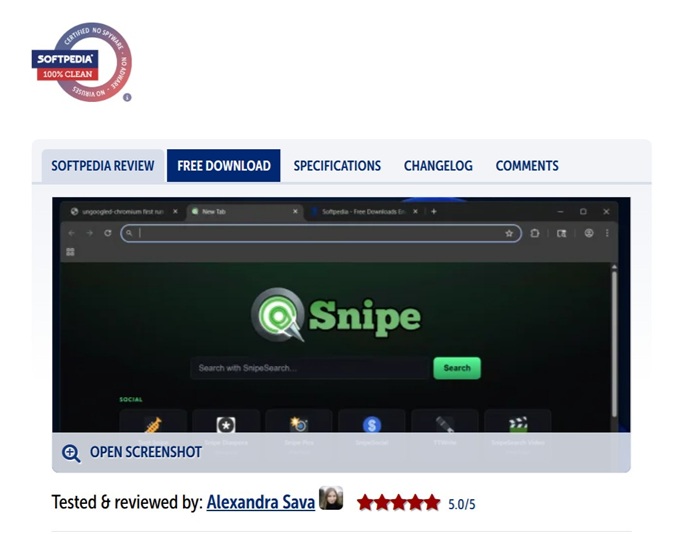
Softpedia review: Snipe Browser rated 5.0/5

Tested & reviewed by Alexandra Sava5.0/5 on Softpedia.

Read the full Softpedia review →