The niche, comedic, genuinely-working build for the unreleased Windows 9 Technical Preview — the "missing link" OS that became Windows 10. Tuned for community-restored builds 9838/9845, this is a resource-constrained Chromium 140 with serialized threading and instant thread termination, optimised for the experimental W9TP kernel.
This build is specifically tuned for the community-restored Windows 9 Technical Preview (builds 9838 / 9845). Because Windows 9 exists purely as an unreleased developer preview completed by independent enthusiasts, underlying kernel behaviours can be unpredictable. The base operating system mod can be sourced via the independent resource hub at windows9.4up.eu. In testing, Snipe runs hilariously well across standard navigation, local features and lightweight web apps. The stability catch: on bare-minimum spec (under 1 GB available RAM), heavy script-dense JavaScript sites are fundamentally limited — the 32-bit V8 engine garbage-collects aggressively and tabs may crash under heavy loads. Approach multi-tabbing on heavy modern sites with realistic expectations.
Background and rendering threads are restricted to avoid thrashing the experimental task handling and Aero Snap behaviours of W9TP.
Closing the window completely terminates all process trees to immediately restore the finite RAM pool — Windows 9 handles desktop/UWP transitions uniquely.
Built-in ad blocking and emulation prevent secondary third-party processes from straining the kernel's experimental notification and multitasking structures.
Every component that would ordinarily call Google infrastructure has been removed or replaced. Privacy tools ship inside the core binary — tuned for the experimental W9TP kernel with serialized threading and sub-1 GB RAM profiles.
Compiled in, shields single-core and sub-1 GB setups from script-heavy trackers and bloated ad networks.
Lightweight x86 target compiled into the core; native playback of classic vector animations and games.
Fully integrated default search routing, zero data pipeline to Google frameworks.
Completely localised credential storage — nothing leaves the device unless you explicitly enable sync.
Offline spell-check, no background telemetry — bundled dictionaries with no connection to Google's enhanced spell-check service.
What you type wins. No forced HTTPS upgrades that trap HTTP-only servers, intranet hosts and self-signed setups in redirect loops.
No forced upgrade loops and no Google telemetry — Snipe stays on your terms across the W9TP experimental kernel.
No AI components of any kind — zero background intelligence, zero cloud inference, zero model downloads.
Both builds are the resource-constrained Chromium 140 profile for the community-restored Windows 9 Technical Preview (builds 9838/9845). Choose the installer for a normal desktop install, or the portable ZIP to run from any folder with no installation.
Installs Snipe to C:\Program Files\SnipeBrowser\ with desktop shortcuts. The W9TP-tuned resource-constrained build with serialized threading and instant thread termination. No internet connection required to install.
Extract and run — nothing is written to Program Files and no installation is required. Ideal for USB drives, locked-down VMs, or testing alongside an existing browser install on W9TP.
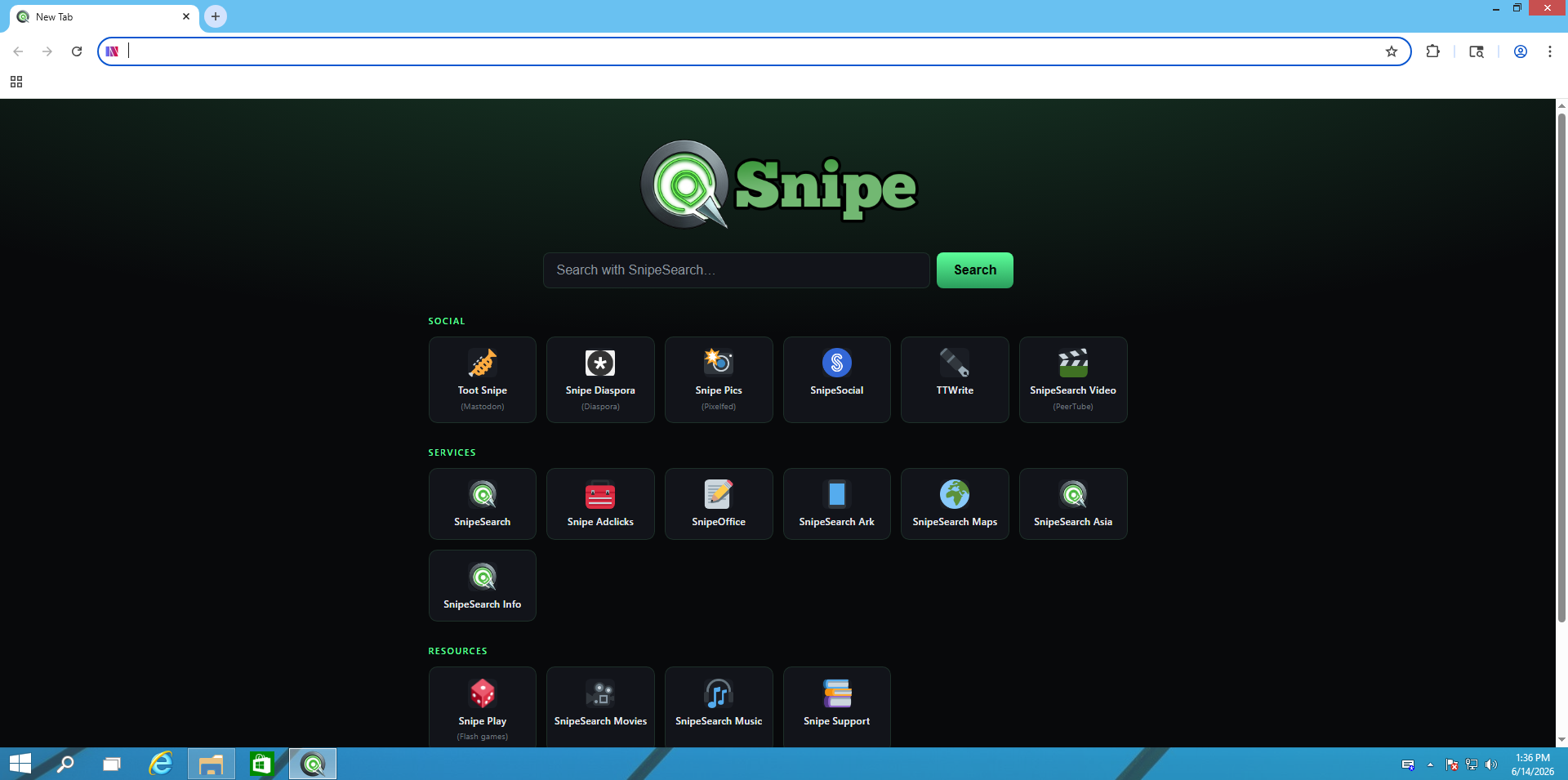
⬇ Download Portable ZIPReal screenshots from a Windows 9 Technical Preview virtual machine running Snipe 140.0.7339.127. Click any image to enlarge.
Snipe does not ship Widevine — it is a proprietary, closed-source blob and bundling it would contradict the open nature of the project. Because Snipe is built on Chromium 140 it uses the same DRM path as Chrome, so you can add it yourself in four steps.
Snipe for Windows 9 does not bundle Widevine. You will need to source the legacy 32-bit WidevineCdm folder from an existing Chromium 140 install yourself.
Copy the whole WidevineCdm folder so the path becomes C:\Program Files\SnipeBrowser\Application\140.0.7339.127\WidevineCdm\ — use the 32-bit win_x86 DLL.
Close all Snipe processes, reopen, and check chrome://components for "Widevine Content Decryption Module".
Side-load legacy CRX files via chrome://extensions with Developer Mode enabled, or browse SnipeSearch Ark for compatible extensions.
WidevineCdm from any Chromium 140.x build instead.
The new tab page groups the full network of privacy-first services into Social, Services and Resources — all reachable in one click, no Google account required.
| Feature | Snipe | Chrome | DDG |
|---|---|---|---|
| Zero Google Telemetry | ✓ | ✗ | ✓ |
| uBlock Origin built into core | ✓ | ✗ | ✗ |
| Ruffle / Flash restored | ✓ | ✗ | ✗ |
| Local-only password manager | ✓ | ✗ | ✗ |
| Server-respecting HTTP/HTTPS | ✓ | ✗ | ✗ |
| No forced updates | ✓ | ✗ | ✗ |
| Background processes off by default | ✓ | ✗ | ✗ |
| No AI features | ✓ | ✗ | ✗ |
| Runs on Windows 9 Technical Preview | ✓ | ✗ | ✗ |