Chromium 140 on Ubuntu 18.04 through 24.04 LTS — tested on every release in that range, on VMs and on real laptops from 2007 and 2008 running Ubuntu and Lubuntu. De-Googled, uBlock Origin and Ruffle in the core.
This .deb package is the build we recommend for Ubuntu 18.04, 18.10, 20.04, 22.04, 24.04, and newer. It installs natively through Ubuntu Software or apt and integrates cleanly with the desktop.
The Ubuntu 16.x Flatpak build may run on Ubuntu 18, but this .deb is the better choice on Bionic and above — fewer workarounds, no --no-sandbox patch required.
OS no longer supported banner: On a first launch on Ubuntu 18.04, a notice at the top of the window may say your operating system is no longer supported. Disregard it — it is a standard Chromium sub-version check and it is not correct for this build. Snipe is tested and supported on Ubuntu 18.04 LTS through 24.04 LTS.
Lubuntu and older hardware: The same .deb runs on Lubuntu and standard Ubuntu desktops. Tested on 2007 and 2008 laptop hardware in both flavours.
Package file: snipe-browser_140.0.7339.127-1_amd64.deb. Pick whichever path suits you — double-click the download in your file manager, or fetch and install from the terminal with the exact commands below.
Download snipe-browser_140.0.7339.127-1_amd64.deb from Archive.org. Open your Downloads folder and double-click the file — it is an installable Debian package. Ubuntu Software opens; click Install and enter your password when prompted.
Run these two commands in order. Copy and paste each line as shown.
wget https://archive.org/download/snipe-browser_140.0.7339.127-1_amd64/snipe-browser_140.0.7339.127-1_amd64.deb
sudo apt install ./snipe-browser_140.0.7339.127-1_amd64.deb
SnipeSearch as default, uBlock Origin in the core, Ruffle for Flash content, and a custom new-tab page — all without Google services or background telemetry.
uBlock Origin compiled into the binary. Blocks tracking networks with a curated whitelist for privacy-respecting ads.
Built-in Flash emulation — games and legacy interactive content run inside the modern sandbox without plugins.
Private search routing out of the box — no Google as the default engine.
Offline password manager and bundled dictionaries. No forced cloud sync or AI components.
One amd64 package tested across Ubuntu 18.04, 20.04, 22.04, and 24.04 LTS — plus Lubuntu on vintage hardware.
Standard Debian package — integrates with Ubuntu Software, desktop shortcuts, and your package manager.
Closing the window kills all Snipe processes — no tray icon, no lingering RAM use.
No on-device models, no cloud assistants, no generative tools baked in.
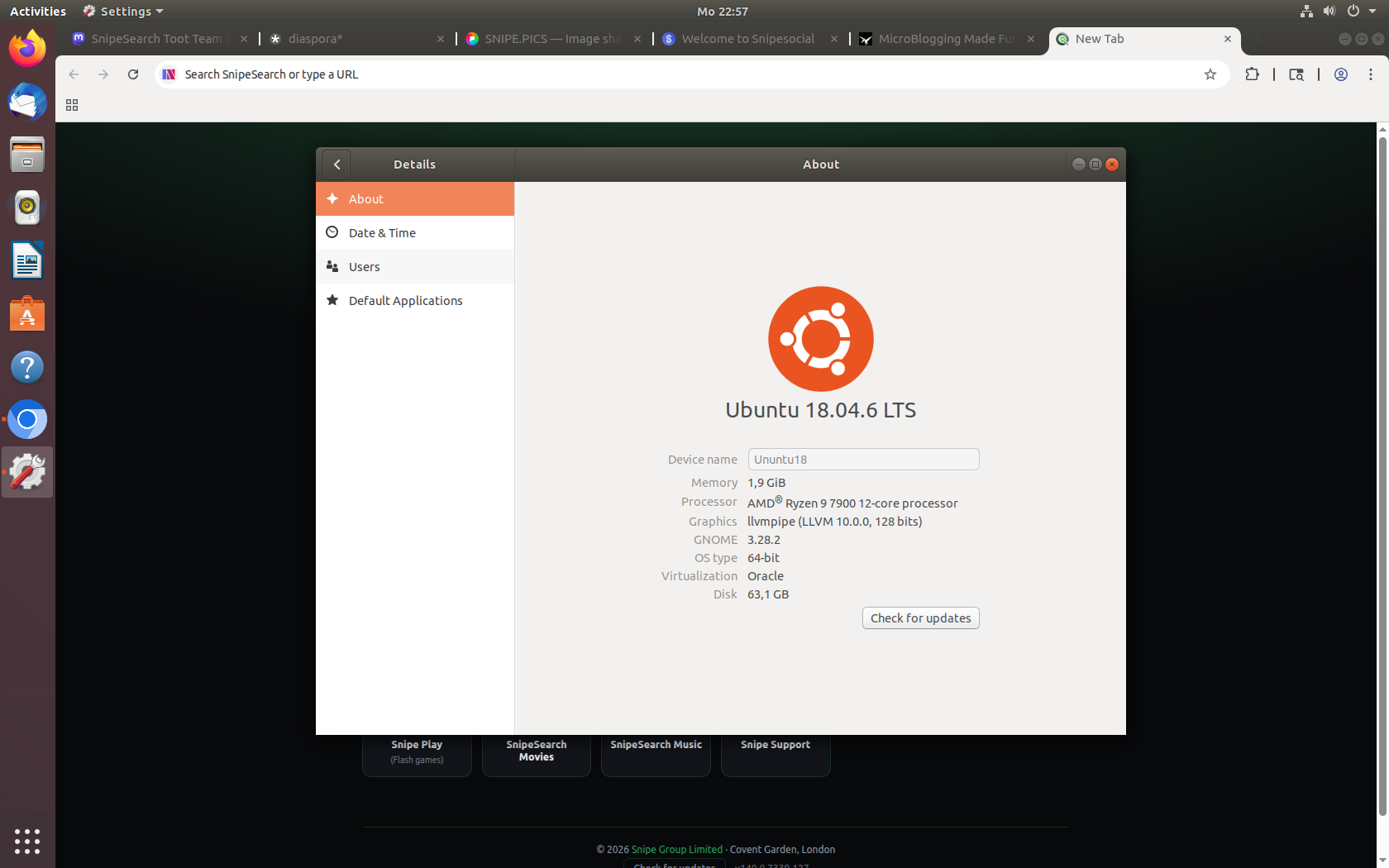
Download, install, first-run quirks, and the full SnipeSearch ecosystem running on Ubuntu 18.04.6 LTS in a VM — plus real-world Lubuntu and Ubuntu laptop testing from 2007 and 2008 hardware.
Ubuntu 18.04 LTS through 24.04 LTS (amd64) and compatible Debian-based distributions. Requires glibc 2.25+. Ubuntu 16.x is not supported by this package — use the Ubuntu 16.x Flatpak build instead. If you would like to try SnipeOffice, it is available as a separate download.
Desktop: Download snipe-browser_140.0.7339.127-1_amd64.deb, then double-click it in your file manager. Ubuntu Software opens the package — click Install. Snipe is added to your applications menu with a desktop shortcut.
Terminal: Fetch the package from Archive.org, then install it with apt. Copy and paste each command on its own line.
wget https://archive.org/download/snipe-browser_140.0.7339.127-1_amd64/snipe-browser_140.0.7339.127-1_amd64.deb
sudo apt install ./snipe-browser_140.0.7339.127-1_amd64.deb
⬇ Download .deb