On Ubuntu 18.04 or newer? Use the recommended .deb install → — it works better than the Flatpak on Bionic and above.
Advanced install · Ubuntu 16.x · Flatpak

Snipe for Ubuntu 16

Chromium 140 on Ubuntu 16.x — tested on 16.04 LTS and 16.10, where the last official Google Chrome was version 48 and Firefox topped out around 68 ESR. Terminal-only Flatpak install with post-install fixes. On Ubuntu 18 or newer, use the .deb build instead — it integrates better.

Based on Chromium 140.0.7339.127 · Flatpak · amd64 · © 2026 Snipe Group Limited
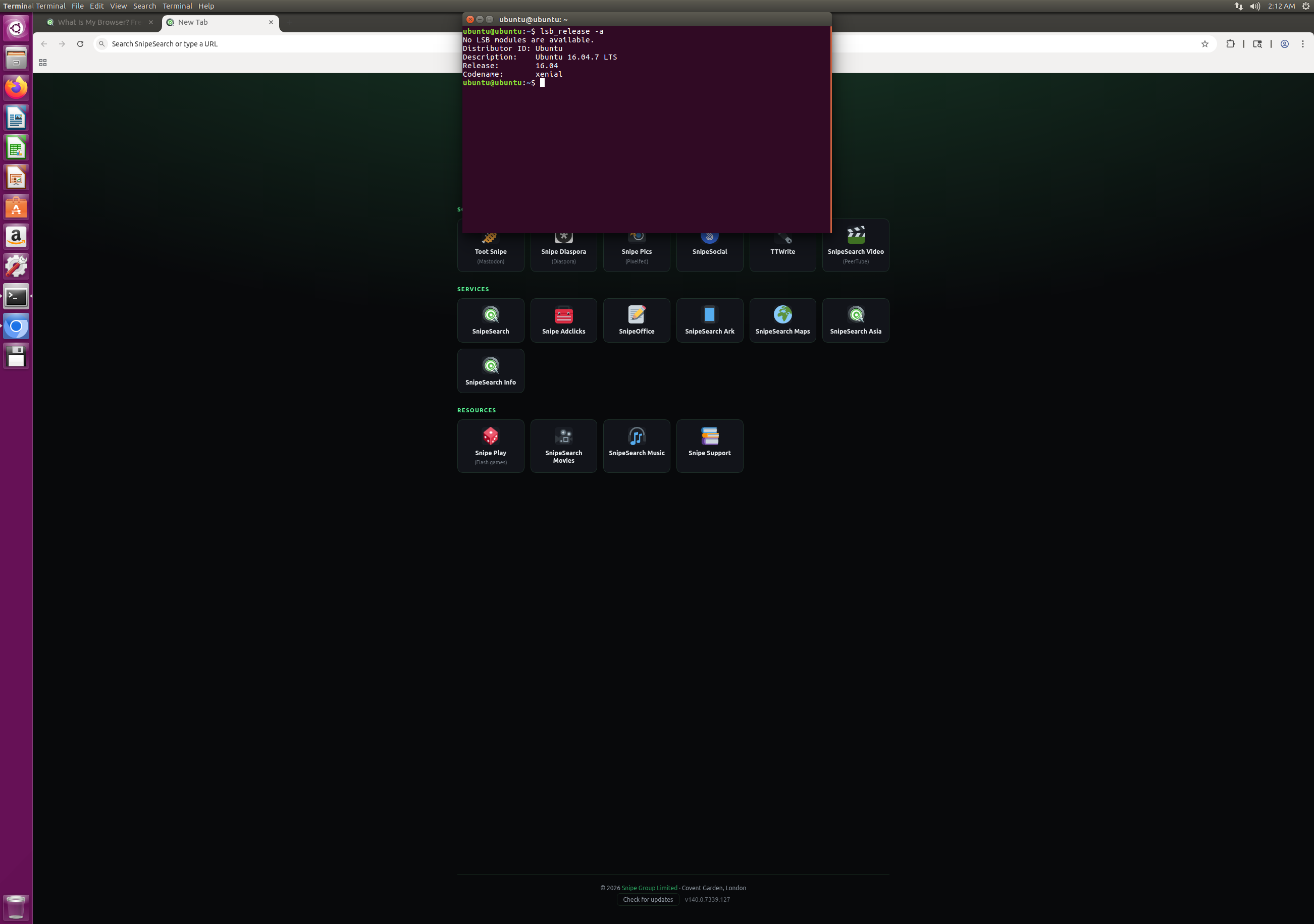
Snipe new tab on Ubuntu 16.04.7 LTS
16.x
16.04 · 16.10
Flatpak
install type
140
chromium engine
48 → 140
vs last chrome

Not a novice install — and not for Ubuntu 18+

This page is for users on Ubuntu 16.x (16.04 LTS, 16.10, and other Xenial/Yakkety releases) who are comfortable in a terminal. You will run many commands in order, enter your password several times, reboot once, then run one final fix.

On Ubuntu 18.04 or newer, use the .deb package instead. The Flatpak build on this page may work on Ubuntu 18, but the native .deb is the recommended build for Bionic and above — simpler install, better desktop integration, and no --no-sandbox workaround.

Run each command separately. Copy and paste one block at a time. Each sudo command triggers its own password prompt — do not chain them on one line.

Why bother on Xenial?

From Chrome 48 to Chromium 140.

The last version of Google Chrome officially supported on Ubuntu 16.04 was 48.0.2564.116. Mozilla Firefox from the standard repositories peaked around the 68.x ESR series. Snipe 140 ships the full Chromium 140 engine — modern TLS, rendering, sandboxing, and web platform support that Xenial’s stock browsers never received.

Ubuntu 16.04 — stock browsers

  • Chrome 48 — last official Google build for Xenial
  • Firefox ~68 ESR from default repos
  • TLS 1.0/1.1 era; many modern sites refuse connection
  • No WebAssembly, limited WebGL 2, no modern CSS
  • NPAPI Flash (deprecated, insecure)
  • No site isolation or modern process sandbox
  • No SameSite cookie defaults
  • Outdated JavaScript engine (pre-modern V8)

Snipe 140 on Ubuntu 16.04

  • Chromium 140 engine — V8 14.x, Blink current
  • TLS 1.3, modern cipher suites, HSTS support
  • Site isolation and multi-process sandboxing
  • WebAssembly, WebGL 2, WebRTC, modern CSS/HTML
  • Ruffle built in — Flash without NPAPI plugins
  • uBlock Origin compiled into the core
  • Zero Google telemetry — de-Googled build
  • Local-only password manager, no forced cloud sync
  • SnipeSearch default — no Google search middleware
  • Memory safety improvements across 90+ Chromium releases

Snipe removes Google-specific services (Safe Browsing cloud lookup, sync, background telemetry) — but the underlying Chromium security architecture, sandbox model, and web compatibility stack are current-generation. You get the rendering and protocol support of 2026, not 2016.

Full install process

Install Snipe on Ubuntu 16.x

Package file: SnipeBrowser-140.0.7339.127-linux-x64.flatpak. Work through every step in order. After Step 5, restart the PC, then complete Step 6.

Step 1

Install the Flatpak framework

Run these three commands individually. Enter your password when prompted for each sudo command.

sudo add-apt-repository ppa:alexlarsson/flatpak -y sudo apt update sudo apt install flatpak -y
Step 2

Download the Snipe Flatpak and add Flathub

Fetch the bundle from Archive.org, then register the Flathub remote for dependencies.

wget https://archive.org/download/snipe-browser_140.0.7339.127-1_amd64/SnipeBrowser-140.0.7339.127-linux-x64.flatpak flatpak remote-add --user --if-not-exists flathub https://flathub.org/repo/flathub.flatpakrepo
Step 3

Install the browser (user mode)

Installs org.snipeoffice.SnipeBrowser to your user Flatpak directory. You may see a warning about XDG_DATA_DIRS — that is expected; Step 5 and the reboot address it.

flatpak install --user --bundle SnipeBrowser-140.0.7339.127-linux-x64.flatpak -y
Step 4

Apply fixes — line endings and launch command

If dos2unix is not already installed, run this first:

sudo apt install dos2unix -y

Then apply the line-ending fix and create a terminal launcher alias:

dos2unix $HOME/.local/share/flatpak/app/org.snipeoffice.SnipeBrowser/current/active/files/bin/snipe-browser mkdir -p ~/.local/bin echo 'flatpak run --command=snipe-browser org.snipeoffice.SnipeBrowser --no-sandbox' > ~/.local/bin/snipe chmod +x ~/.local/bin/snipe
Step 5

Add to PATH, then restart

Make the snipe command visible in your current terminal session, then restart the PC.

export PATH=$PATH:$HOME/.local/bin

Restart the computer now. Do not skip this — Flatpak needs a fresh session for the desktop launcher to appear correctly.

Step 6 — after restart

Fix the desktop launcher (--no-sandbox)

Return to the terminal after reboot. This single command overwrites the desktop entry so the menu icon, New Window, and New Incognito all launch with --no-sandbox — required on Ubuntu 16.04.

printf "[Desktop Entry]\nVersion=1.0\nType=Application\nName=Snipe Browser\nGenericName=Web Browser\nComment=Privacy-focused Chromium fork\nCategories=Network;WebBrowser;\nExec=flatpak run --command=snipe-browser org.snipeoffice.SnipeBrowser --no-sandbox\nTerminal=false\nStartupNotify=true\nIcon=org.snipeoffice.SnipeBrowser\nMimeType=application/pdf;application/rdf+xml;application/rss+xml;application/xhtml+xml;application/xhtml_xml;application/xml;image/gif;image/jpeg;image/png;image/webp;text/html;text/xml;x-scheme-handler/http;x-scheme-handler/https;\nActions=new-window;new-private-window;\nX-Flatpak=org.snipeoffice.SnipeBrowser\n\n[Desktop Action new-window]\nName=New Window\nExec=flatpak run --command=snipe-browser org.snipeoffice.SnipeBrowser --no-sandbox\n\n[Desktop Action new-private-window]\nName=New Incognito Window\nExec=flatpak run --command=snipe-browser org.snipeoffice.SnipeBrowser --incognito --no-sandbox" > $HOME/.local/share/flatpak/exports/share/applications/org.snipeoffice.SnipeBrowser.desktop

You are done. Launch Snipe from the Unity dash or run snipe in a terminal.

What's in the build

Everything built in.

🛡

Core Adblocker

uBlock Origin in the binary — blocks tracking networks out of the box.

🎮

Ruffle / Flash

Flash games via built-in Ruffle — no NPAPI plugin required.

🔍

SnipeSearch

Private search as the default engine — no Google middleware.

🔑

Local Storage

Passwords and data stay on your machine. No forced cloud sync.

📦

Flatpak bundle

Self-contained runtime — runs on Xenial without a native .deb.

🐧

Xenial LTS

Tested on Ubuntu 16.04.7 LTS — brings 2026 web rendering to 2016 hardware.

🌙

Background Off

Closing the window kills all Snipe processes.

🚫

Zero AI

No on-device models or cloud assistants baked in.

Download · v140.0.7339.127

Flatpak bundle for Ubuntu 16.x.

Ubuntu 16.04 LTS, 16.10, and other 16.x releases · amd64 · Flatpak install required. For Ubuntu 18.04 and newer, use the .deb package — it is the recommended build.

Ubuntu 16.x · amd64 · Flatpak

SnipeBrowser-140.0.7339.127-linux-x64.flatpak

Download the bundle, then follow the full install steps above — Flatpak framework, bundle install, dos2unix fix, reboot, and desktop entry patch.

wget https://archive.org/download/snipe-browser_140.0.7339.127-1_amd64/SnipeBrowser-140.0.7339.127-linux-x64.flatpak
File · SnipeBrowser-140.0.7339.127-linux-x64.flatpak · hosted on Archive.org
⬇ Download Flatpak

Ubuntu 16.x — requirements