On Ubuntu or Debian? .deb install →
openSUSE Leap 15.6 – 16 · x86_64

Snipe for openSUSE Leap

Chromium 140 on openSUSE Leap 15.6 through 16 — terminal install via zypper and RPM. De-Googled, uBlock Origin and Ruffle in the core. Run each command separately; enter your password when sudo prompts.

Based on Chromium 140.0.7339.127 · x86_64 RPM · © 2026 Snipe Group Limited
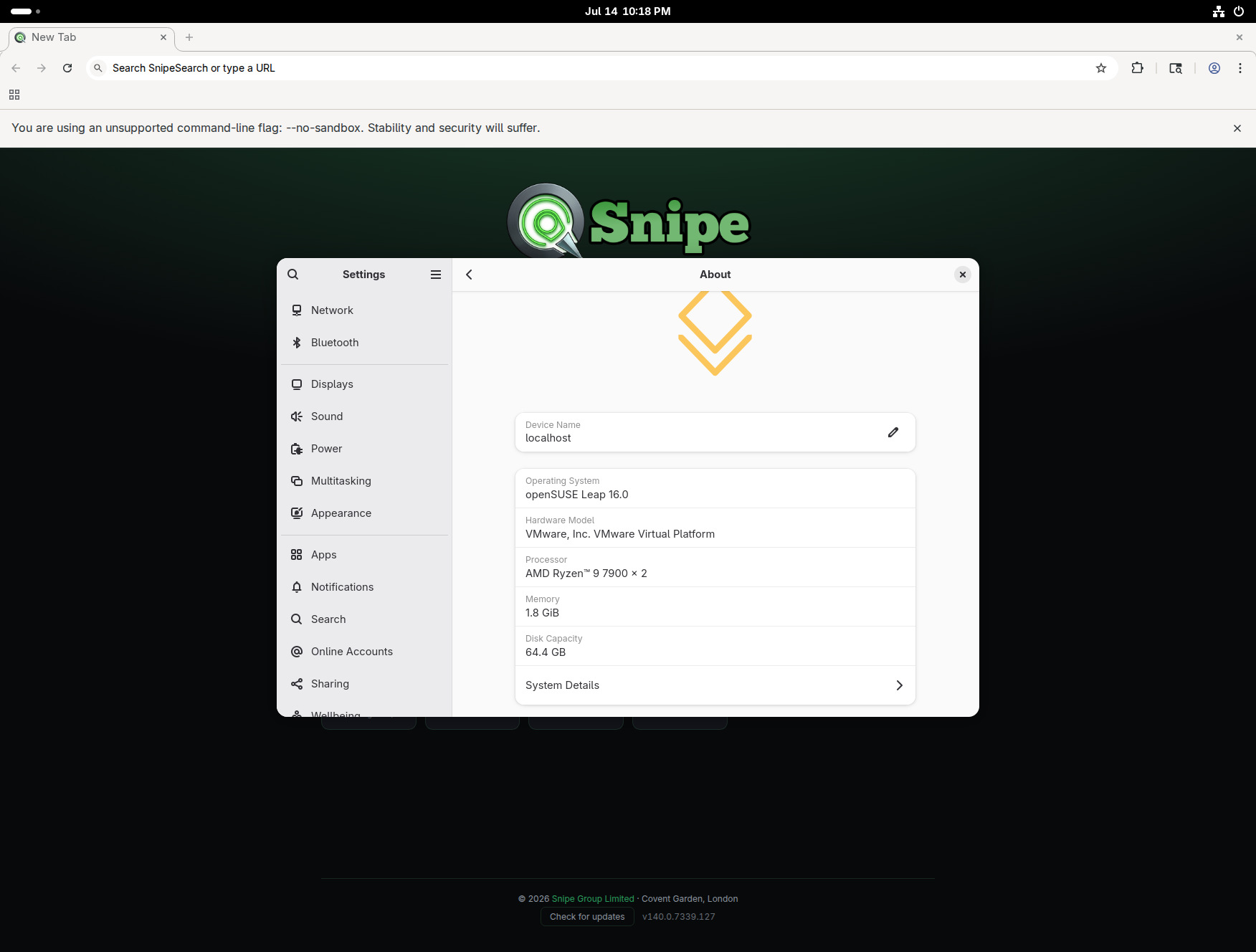
Snipe new tab on openSUSE Leap 16.0
15.6–16
leap tested
x86_64
64-bit only
zypper
package manager
Zero
Google telemetry

Step 5 — shared dependency list

The Step 5 zypper install command lists packages for multiple operating systems in one line. On openSUSE Leap, zypper will skip anything it cannot locate — that is normal. Install everything it can find, then continue to Step 6.

Desktop launcher: Step 7 writes a desktop entry with --no-sandbox on all launch actions — required for Snipe on Leap.

Tested on Leap 16.0

Snipe 140 running on openSUSE Leap.

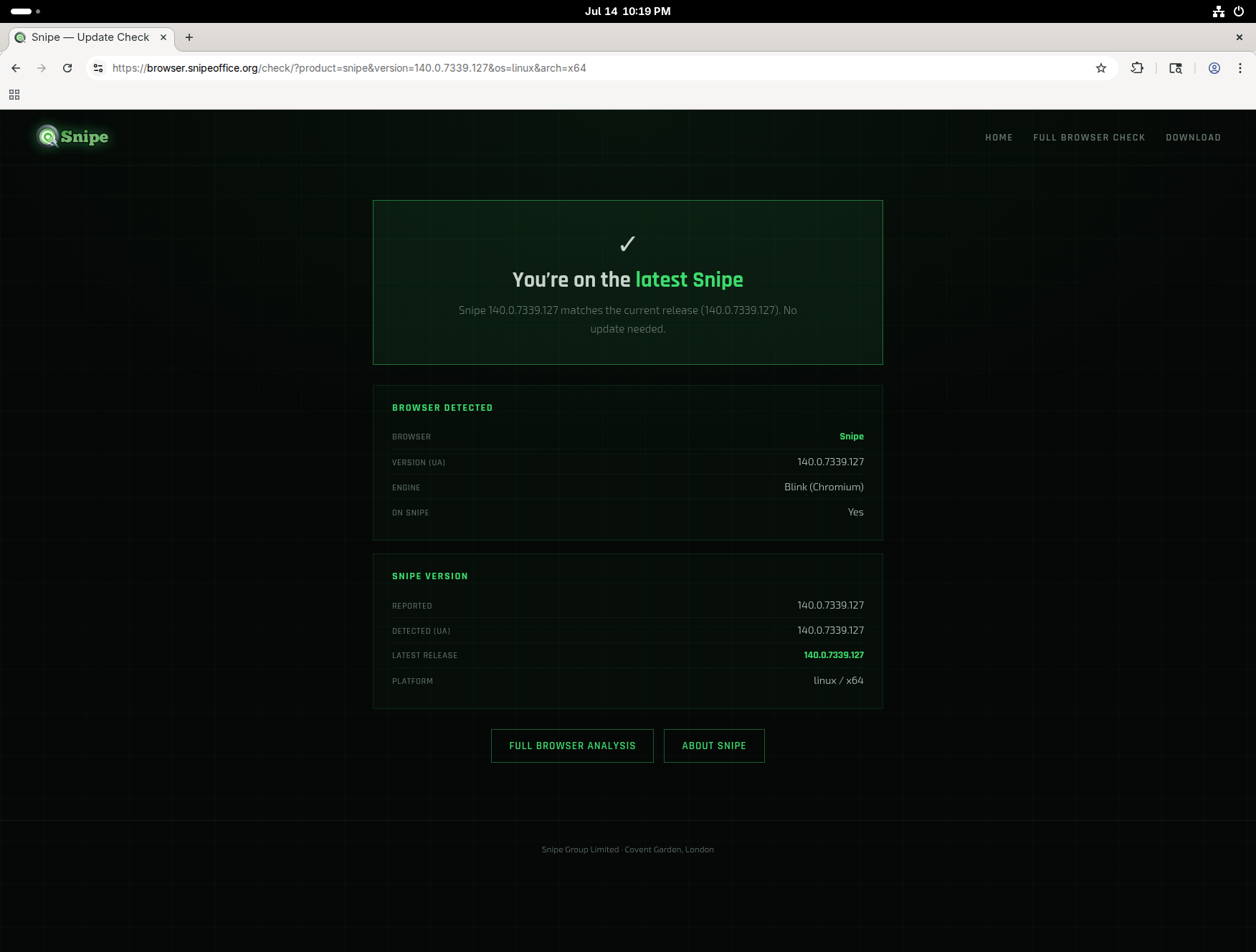
Captured in a VM on openSUSE Leap 16.0 (x86_64) — update check confirms v140.0.7339.127 is current, and our browser detector reports Snipe on Linux 64-bit.

Snipe update check on openSUSE Leap 16
Terminal install

Install Snipe on openSUSE Leap

Package file: snipe-browser-140.0.7339.127-1.x86_64.rpm. Work through all seven steps in order. Copy and paste each command block on its own.

Step 1

Download the RPM

Change to your Downloads folder and fetch the package from Archive.org.

cd ~/Downloads wget https://archive.org/download/snipe-browser_140.0.7339.127-1_amd64/snipe-browser-140.0.7339.127-1.x86_64.rpm
Step 2

Install YaST2 Packager

sudo zypper install yast2-packager
Step 3

Install fonts

sudo zypper install liberation-fonts
Step 4

Install PowerMan

sudo zypper install powerman
Step 5

Install remaining dependencies

This command covers several distributions. Leap will install what it recognises and skip the rest — proceed even if some package names are not found.

sudo zypper install ca-certificates fonts-liberation libX11-6 libXcomposite1 libXdamage1 libXext6 libXfixes3 libXrandr2 libasound2 libatk-bridge2.0-0 libatk1.0-0 libcairo2 libcups2 libdbus-1-3 libdrm2 libgbm1 libg2.0-0 libgtk-3-0 libnspr4 libnss3 libpango-1.0-0 libvulkan1 libxcb1 libxkbcommon0 rpmlib wget xdg-utils libatk-bridge-2_0-0 libatspi0 libcups2 libgtk-3-0 libnss3 libvulkan1 xdg-utils
Step 6

Install the Snipe RPM

From your Downloads folder, install the package with --nodeps as shown.

sudo rpm -ivh --nodeps ./snipe-browser-140.0.7339.127-1.x86_64.rpm
Step 7

Create the desktop entry

Writes the launcher with --no-sandbox on the main command, New Window, and New Incognito actions.

sudo tee /usr/share/applications/snipe-browser.desktop > /dev/null << 'EOF' [Desktop Entry] Version=1.0 Name=Snipe Browser GenericName=Web Browser Comment=Access the Internet Exec=snipe-browser --no-sandbox %U StartupNotify=true Terminal=false Icon=snipe-browser Type=Application Categories=Network;WebBrowser; MimeType=application/pdf;application/rdf+xml;application/rss+xml;application/xhtml+xml; Actions=new-window;new-private-window; [Desktop Action new-window] Name=New Window Exec=snipe-browser --no-sandbox [Desktop Action new-private-window] Name=New Incognito Window Exec=snipe-browser --no-sandbox --incognito EOF

Launch Snipe from your application menu or run snipe-browser --no-sandbox in a terminal.

What's in the build

Everything built in.

🛡

Core Adblocker

uBlock Origin in the binary.

🎮

Ruffle / Flash

Built-in Flash emulation — no plugins.

🔍

SnipeSearch

Private search as the default engine.

🔑

Local Storage

Passwords stay on your machine.

🦎

Leap 15.6–16

Tested on openSUSE Leap 15.6 through 16.

📦

Native RPM

Standard openSUSE package install via zypper and rpm.

🌙

Background Off

Closing the window kills all Snipe processes.

🚫

Zero AI

No cloud assistants baked in.

Download · v140.0.7339.127

Run Snipe on openSUSE Leap 15.6 – 16.

openSUSE Leap 15.6 through 16 · x86_64. If you would like to try SnipeOffice, it is available as a separate download.

openSUSE Leap 15.6 – 16 · x86_64

RPM package

Download the RPM, then follow the seven install steps above.

wget https://archive.org/download/snipe-browser_140.0.7339.127-1_amd64/snipe-browser-140.0.7339.127-1.x86_64.rpm
File · snipe-browser-140.0.7339.127-1.x86_64.rpm · Archive.org
⬇ Download .rpm

openSUSE Leap — requirements